Productivity
5 Recommendations
- Blog Post by The Grim Historian: Has America Crossed the Asshole Threshold?
This is a must read. I plan on having my AP Gov students read this soon.
- Normal Tools Website
This website contains links to digital tools that we all need from time to time, like a pdf merger. What’s nice is that they are all in one place and the links take you to sites that don’t require sign ups or credit cards.
Dan Koe is the man. The dude’s selling something, but he is a very original thinker whose takes are often nuanced and contrarian. With more than 1.4 million subscribers, he’s earned an audience. I liked this video because I agree with his take on people’s views of AI. He gives a shout out to Ken Wilber’s work and ideas, too.
- The Intentional AI podcast with Chris Bailey and David Sparks (aka Mac Sparky)
I’ve been listening to other podcasts that these dudes host for a while. This podcast is pretty new and approaches AI from the perspective of a modern knowledge worker, but without either the hype or doomerism. Highly recommend to those who want to learn how to better use this new technology.
- Angela Duckworth’s new book, Situated.
Duckworth is a psychologist who teaches at the University of Pennsylvania. She wrote a massively popular and influential book many years ago called Grit, which I love. This book, while I haven’t read it yet, builds on her earlier book and takes into account pushback she received about Grit. As a parent and an educator, I can’t wait to read it.
Will My District Let Me Use This?
I’ll admit it: I get an unreasonable amount of excitement about AI tools built for teachers specifically, as opposed to the general-purpose chatbots most of us have added into our workflow over the past few years. So when Anthropic announced Claude for Teachers earlier this month, I read the whole press release like it was last night’s Rush set list.
Here’s their pitch, as best I can tell. Claude for Teachers is free for verified K-12 educators for at least a year, and it’s built around a partnership called Learning Commons, which maps academic standards across all fifty states down to the specific skills and sequences underneath them. In theory, that means when you ask it to draft a lesson plan, it’s pulling from an actual scaffold of what kids are supposed to know and when, as opposed to simply generating something plausible-sounding. Anthropic is also folding in Claude Code and Cowork, so teachers could theoretically use it for bigger tasks, like combing through student data or automating something that repeats every week.
I find I have my usual skepticism about any tech company claiming to close the gap between best practices and what a teacher’s week allows. We teachers have heard that line before. But the emphasis here is a little different than the last wave of ed-tech AI. Instead of being aimed at students, it is aimed at the person standing in front of the room trying to differentiate instruction for 28 kids on a Tuesday afternoon with emails to answer and work to grade. Task overwhelm is a real problem for educators, and if a tool can genuinely lighten the load, I’m interested.
Where things get murkier is whether I’ll actually get to use it. My district runs on Google, and like most public school systems, we’ve got an approved list of software that reflects understandable caution these days. Anthropic says they’ve built in FERPA-aligned data protections and that teacher conversations aren’t used to train the model, which is reassuring, but “reassuring” and “cleared by our tech department” are two different things. I have no idea whether Claude for Teachers will make it onto our list, or how long that might take.
Assuming I do get the green light eventually, I can already think of uses. In my elective Sports History, standards-aligned lesson planning would save real time on a daily basis. I’d also like to see what it does with differentiation, since I’ve got students reading four grade levels apart in the same room, and building truly different versions of an assignment by hand eats time I don’t have. And if the Cowork side can help me sort through exit tickets and assessment data with reduced stress, that alone might be worth the sign-up.
So consider this a placeholder post. I’m cautiously hopeful. If tools like this actually deliver on giving teachers back the hours we spend on the invisible half of the job, that’s a huge win, not just for me but for my students, who benefit every time I’m less exhausted. I’ll report back once I know whether I’m allowed to touch it.
My Resource Dashboard for Teaching
At this point in my teaching career it is abundantly clear that organization is critically important. When I have student teachers I emphasize organization, both digital and physical. Hight school teachers have no secretaries, interface with well over 100 teenagers a day (not to mention their coworkers and parents), and cope with quite a bit of paper that is both going out to the kids and coming in for grading.
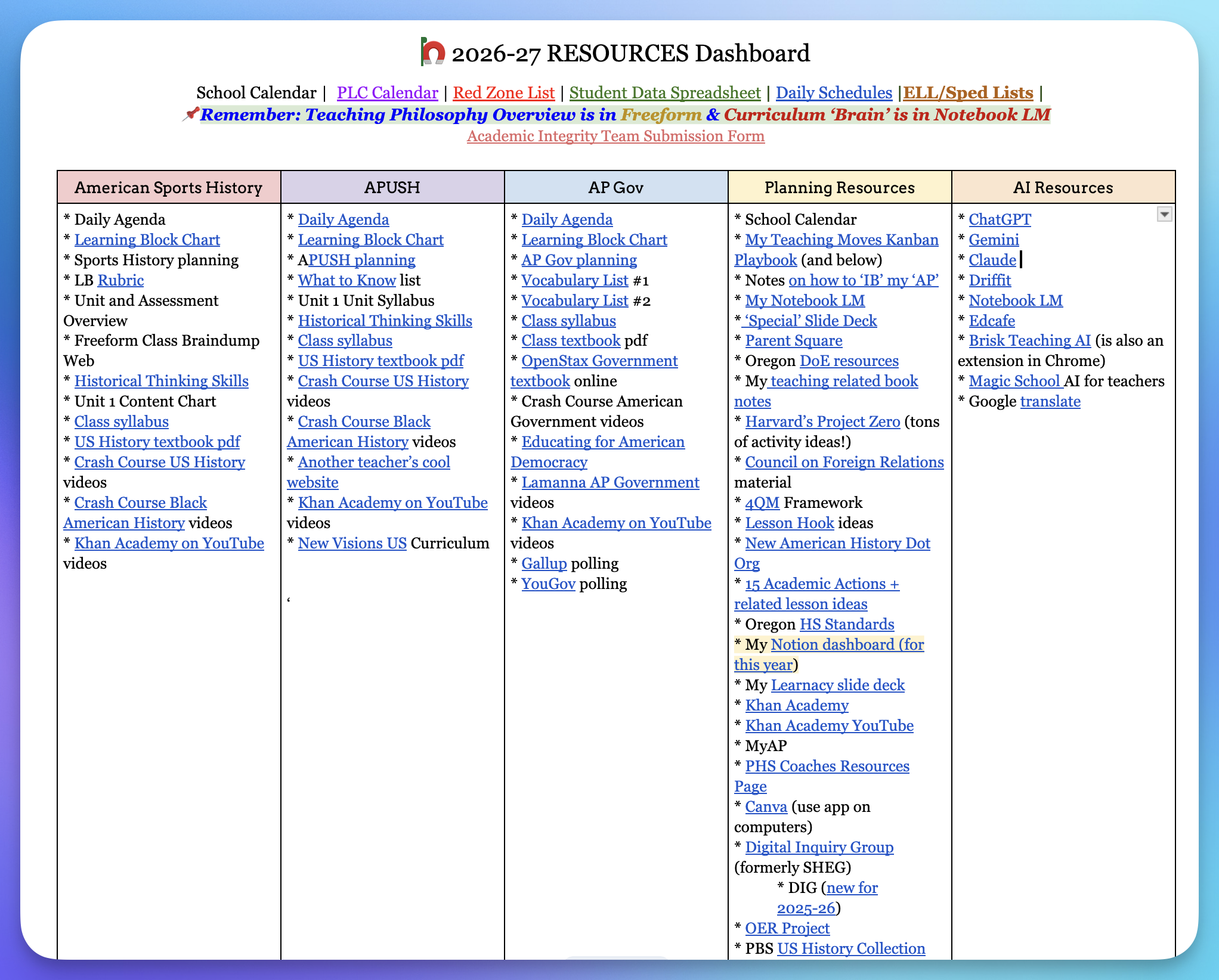
Several years ago I came across a teacher’s website online and he had a Google Doc that was a hub for all the resources he’d need to do his job. I immediately saw the wisdom of such a thing and knew that it fit my personality. Below is a screenshot of what my current Resources Dashboard looks like. The links go staight the document in my Drive or to the website. I have this pinned on the top of my work and personal Chrome browsers to that it is only a click away if I am online anywhere.
Once it is built it is easily updated each year depending on changes to teaching assignments. I know every teacher organizes their digital lives differently, but if I were an administrator, I’d strongly recommend all my staff make something like this.
Update to My Daily Wisdom Reminder Protocol
I shared before that I use Notebook LM (on most days) to provide myself with highly curated daily reminders. Yesterday I spent some time building a new Notebook LM that includes curated ‘reminders lists’ from smart people like Morgan Housel. I then used Notebook LM to distill the various lists into a ‘study guide.’ I then shared that study guide with my already created ‘Buddhist and Stoic Wisdom" notebook that I use for my daily reminders.
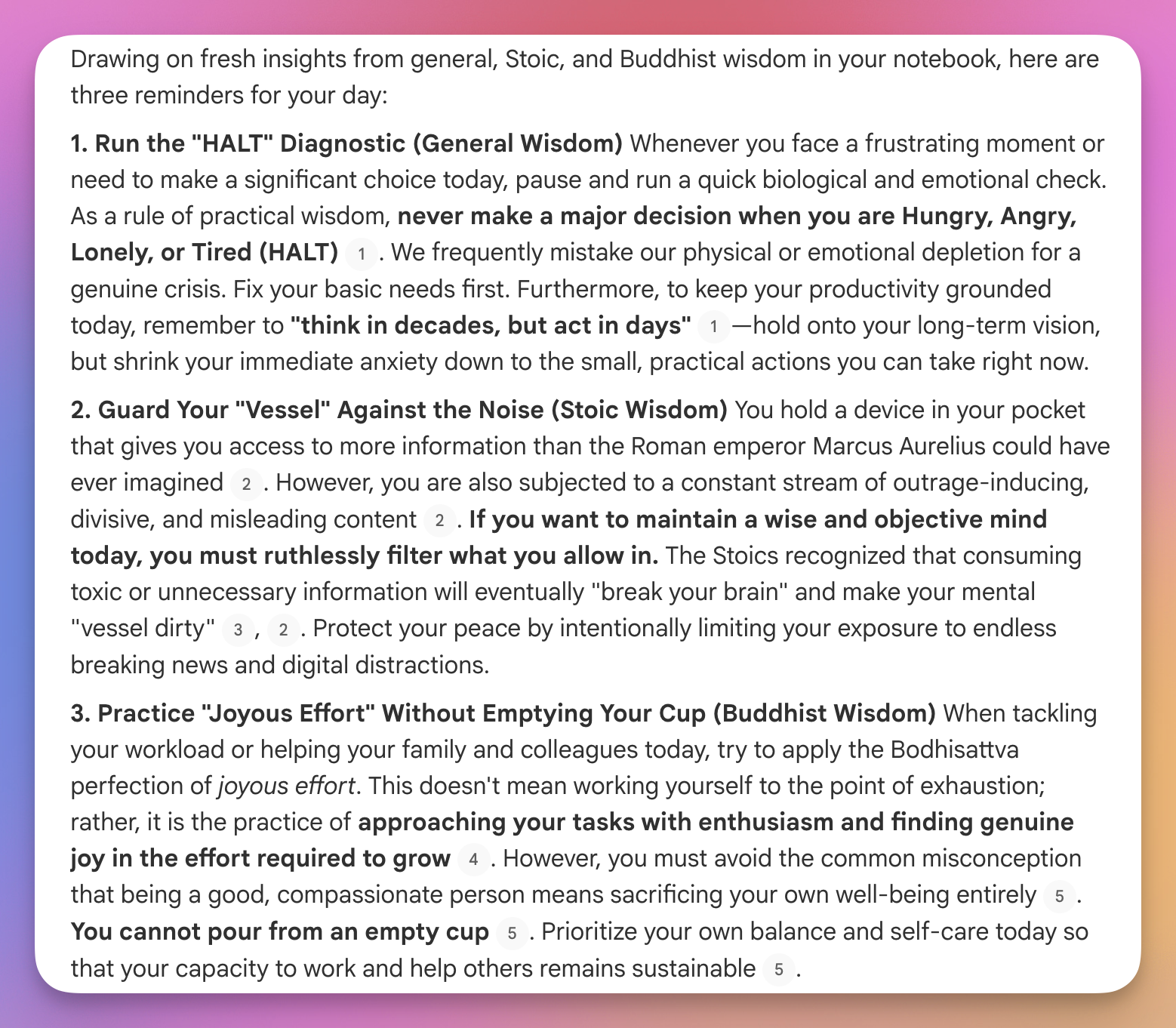
When asking for reminders today I asked that it included a newly added ‘general’ reminder, pulled from the study guide I created. Below is a screenshot of today’s reminder output. I’m pleased with the result and look forward now to getting 1) a general life reminder, 2) a Stoic wisdom reminder, and 3) a Buddhist wisdom reminder.
As I said before, a lot of people will likely find this practice useless and a waste of time. However, I need the constant drip-drip of wisdom or wisdom doesn’t sink into my mind. Current consensus about learning supports my practice, particularly around the benefits of spaced repetition.
Brian Johnson's Philosopher's Notes Got an Upgrade
I am a longtime admirer of Brian Johnson. I first came across his Philosopher’s Notes, which were multipage summaries of great books. I like them because they were not too short, but also not too long and easily digestible. He eventually started a business called Heroic which aims to have at least 51% of the world flourishing by 2051. The dude is smart, compassionate, and driven to improve both himself and the world. Indeed, I’ve recommended his products before on my blog.
The reason I am revisiting his work is because Heroic just re-did their Philosopher’s Notes web experience and it is very cool if you are are type of person who is interested in great ideas. The site has 718 sets of book notes as of today (they generally add them consistently). The site also has 61 videos of Brian breaking down books.
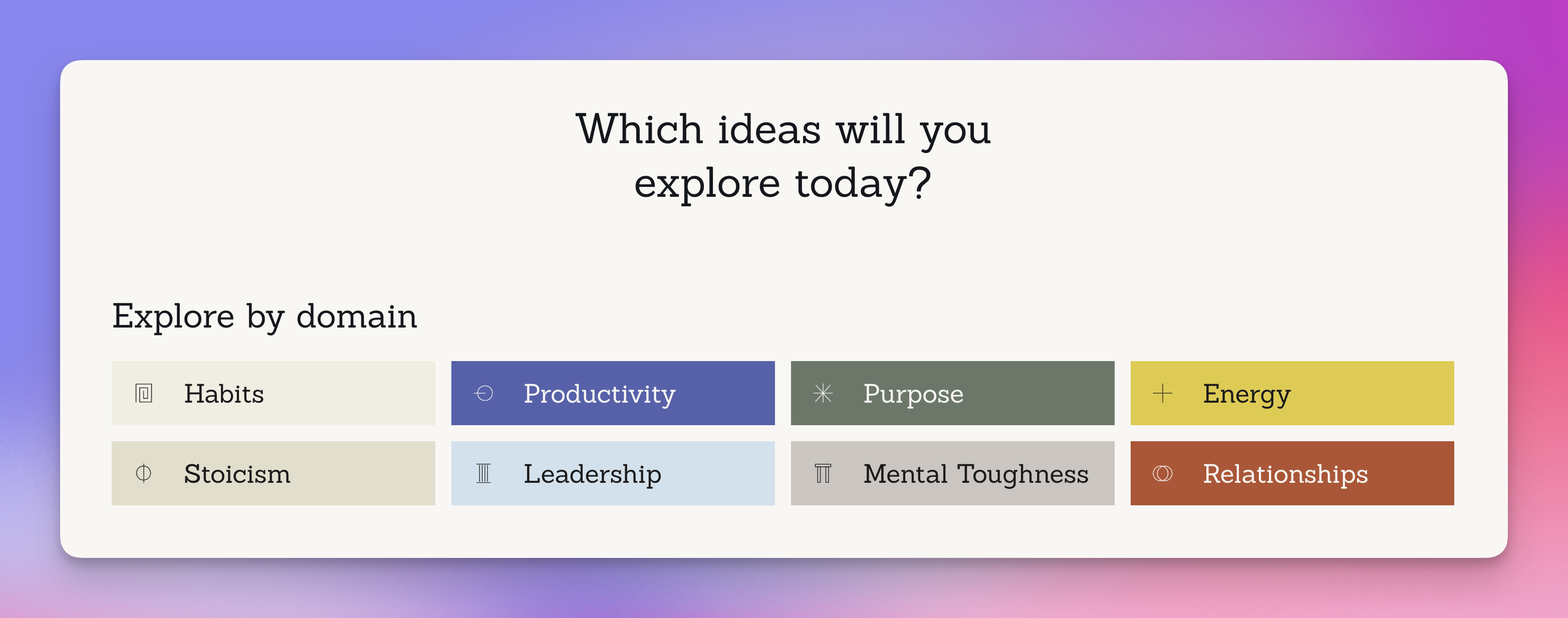
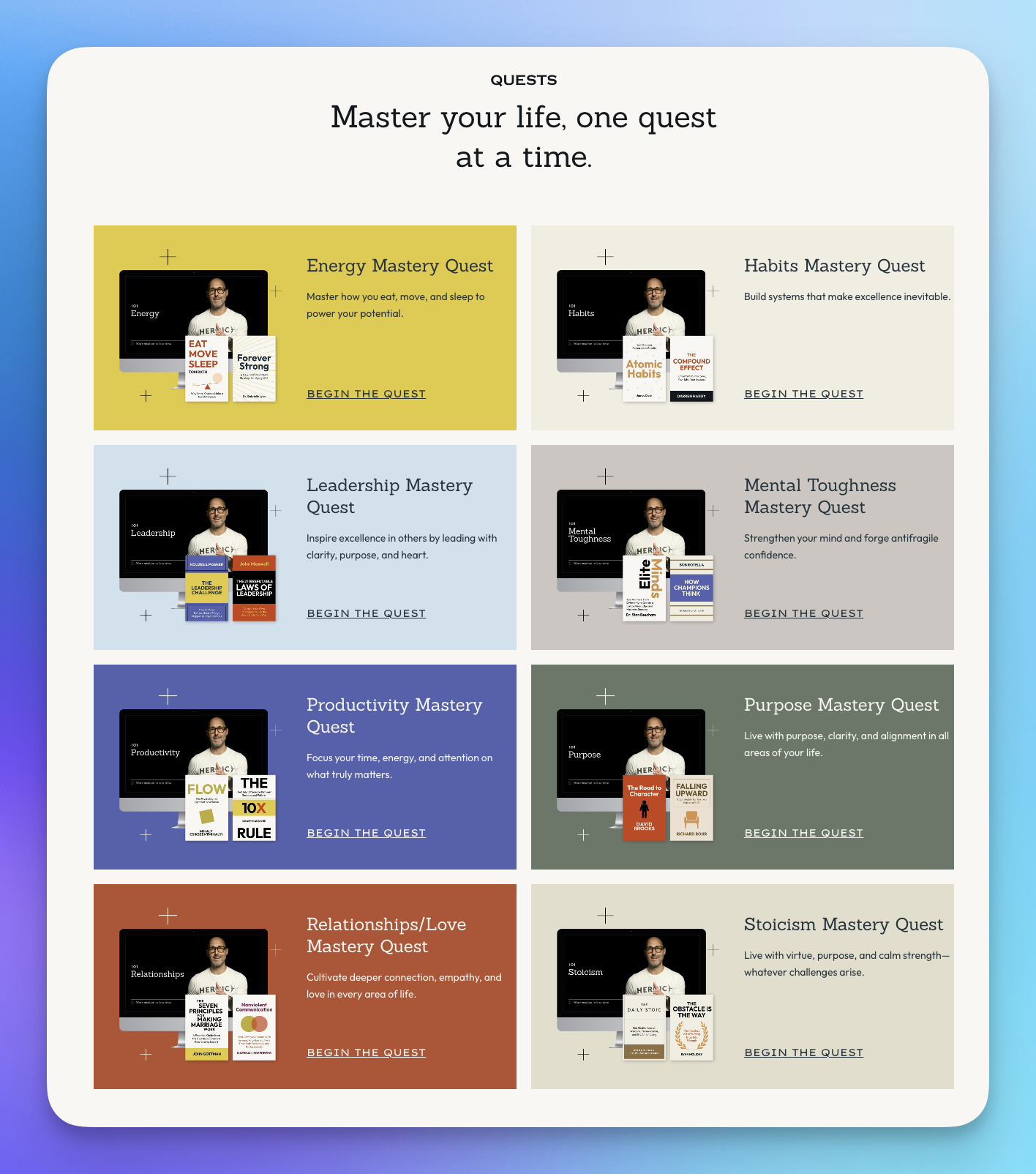
A new feature that I think is cool is their Quests (see pic below). The Mental Toughness Quest has 9 books selected to work through. When you click on a note, you can access a pdf (which is downloadable) or an audio file, if you’d prefer listen.
The site also has an ‘AI Brian’ tool, where the user can query Brian about anything. I asked what it was trained on and it said: Here’s the rundown:
-
Heroic +1s: Daily audio nuggets (like 1,700+ episodes) on everything from journaling to epic challenges—bite-sized wisdom to level up moment to moment.
-
Areté and Optimize: Deep dives into Brian’s experiments in living at your highest potential, with journaling prompts, challenges, and frameworks like Basic Training.
-
Podcasts and talks: Heroic Wisdom Daily, live workshops, keynotes—hours of riffing on purpose, habits, relationships, energy, and creating a flourishing world.
-
Books and courses: Stuff like A Philosopher’s Notes (distilling 1,000+ ideas into 10 principles), Optimal Living 101 classes, and the Coach program.
I am a lifetime member of Heroic, so I’m not sure what it costs now to access this amazing resource. However, it is high quality and especially if you want to learn without spending all the time reading the entire books, Heroic’s Philosopher’s Notes website is worth exploring.
On Being Sick
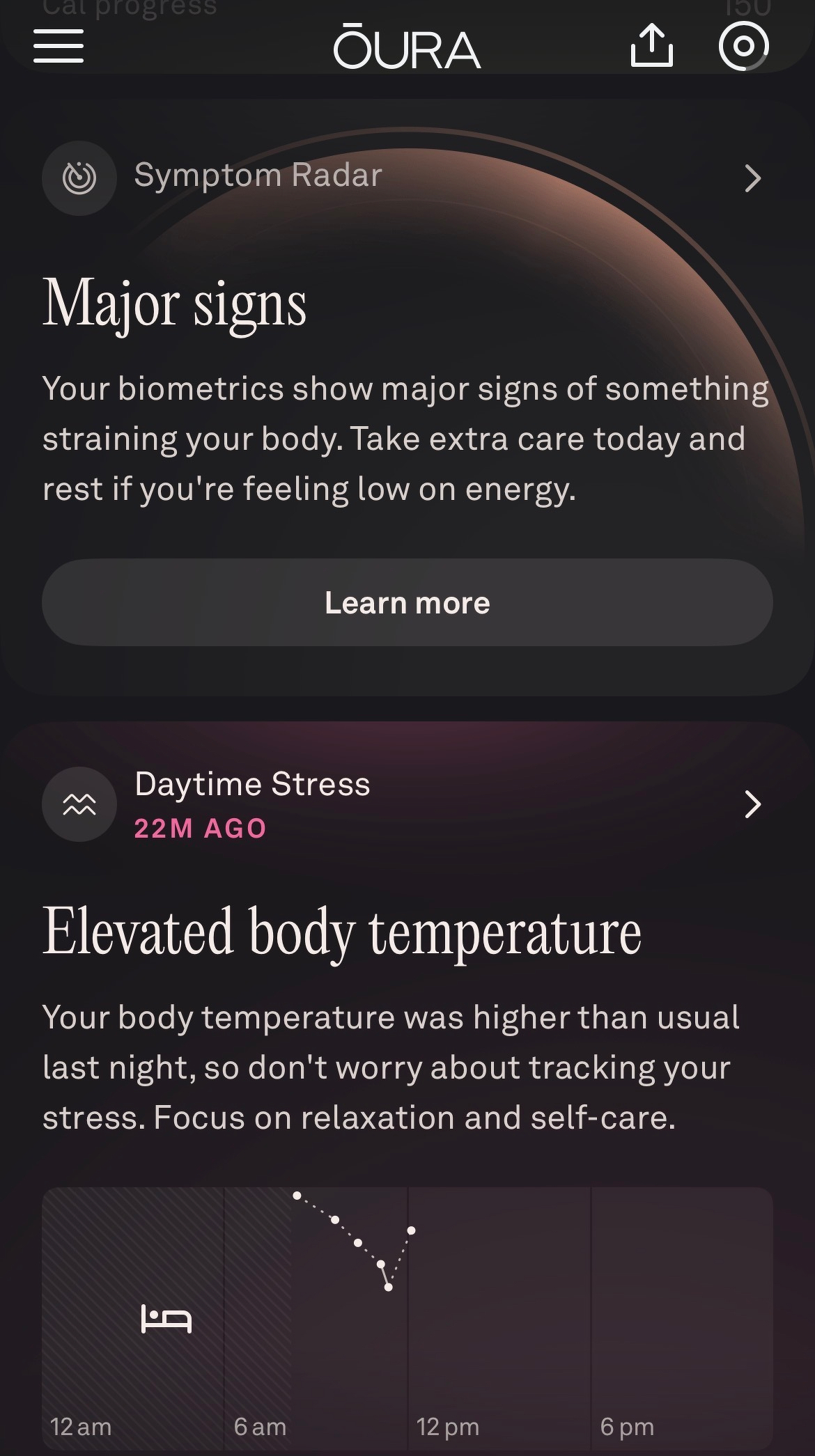
Being sick is no fun. I am lucky that I don’t get sick all that often. Unfortunately, today is one of those rare times. I woke up in the middle of the night and knew my body was fighting something. My Oura ring data confirmed things in the morning (not that I needed confirmation, though it is somewhat comforting to know the ring is able to pick up on important changes in my biometrics).
My illness is complicated a bit by the fact that I need to spend a good part of tomorrow afternoon and evening flying across the country. Normally that would throw me for an additional mental loop, perhaps worsening my condition. That situation has me leaning in hard to developing a positive mindset. I am lucky I can take today off and just relax. However, I am also actively working in my mind to convince my body that I am healing and that my trip tomorrow will arise without incident. We shall see.
Being under the weather brings up a few other thoughts about mental framing. For me, I can easily get down on myself for not being as ‘productive’ as I should be. I’ve put off grading for most the past couple weeks and I had hoped to get more done today. I am reframing this as a forced pause that was needed. I am hoping that feeling better, along with the start of the new year, will give me a ‘fresh start effect’ as I dive back into teaching.
It is also a reminder that the body must be respected. I’ve been out of my own bed for almost two weeks now. I spent the night in the Charlotte airport recently, and stayed up late seeing Phish in the Big Apple. My diet, being away from home, has also been off kilter. I respect that my body is sending me a message.
Ultimately, illness interrupts our narratives and sense of control. It demands more rest and more listening, at least for a time. I’m hopeful the lesson is not soon lost on me once I’m recovered and back to my usual grind.
Nano Banana Pro Revisited
Yesterday I wrote about my disappointment with the latest version of Google’s image generator, Nano Banana Pro. I decided to ask Gemini what I was missing and lo and behold, it explained to me what I was doing wrong. I also realized that the best way to make infographics, which I’ll want to do for my students, is to use Notebook LM, not Nano Banana.
Here are a couple of pics I created for my next lessons in AP Gov and APUSH. We are looking at the New Deal and Great Society in AP Gov and Nat Turner’s Rebellion in APUSH.
Pretty cool.


Three Ways I Use Notion
For years, I used Evernote as my digital brain, but now I am a devoted Notion user. I use other tools like the Google Suite and Apple Notes, but my day-to-day life admin happens in Notion. Many people don’t need tools like this, but I find powerful apps like Notion both immensely helpful and, dare I say, fun to use. I thought I’d share a few examples of how I use Notion.
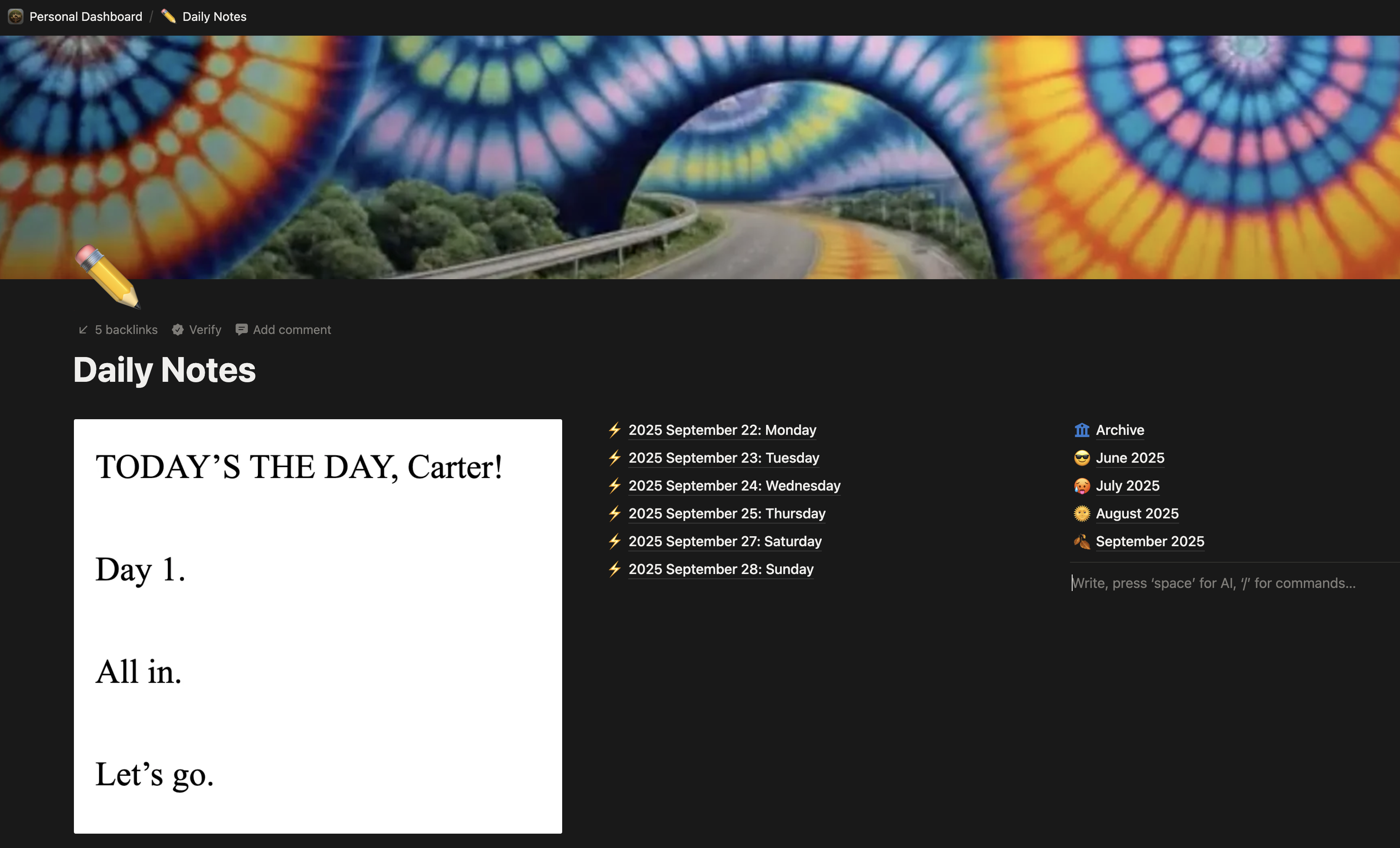
One way I use Notion is for keeping a Daily Note, a productivity idea popularized initially by Roam Research. There are a ton of things I try to do every day, such as meditating, taking my vitamins, reading an entry from The Daily Stoic, and having my daughter share something with me that she is grateful for. For minds like mine, lists are helpful. I use a Daily Note template in Notion that I can reproduce each morning that contains a list of all the things I want to get done every single day. Obviously, as the day goes on I check ‘em off the list. I’m near a computer all day so this isn’t hard. At the end of the day, the Daily Note is a record of what I accomplished. I have other things in the Daily Note as well, including the top three To Dos that are unique to that day. I also have links to other heavily used Notion pages, like my ‘second brain’ note collection or my miscellaneous brainstorms. Notion makes their pages heavily customizable so I have dialed in my Daily Note to suit my personality.
Another way I use Notion is to save all my brainstorms. Like most people, every once in a while I need to do a braindump and get everything out of my head. With Notion I can save all these brainstorms and attach them to my Daily Note and add tags so they are visible in other parts of my Notion. Again, do you need this to be productive? A lot of people would say no; but it definitely helps me.
A third way I use Notion is for keeping trip notes. When I have a trip planned, I open a new trip template (on my Travel page in my Personal Dashboard) and I’m ready to drop in screenshots of hotel and plane reservations, along with my packing lists and other important notes. Having a system helps minimize the damage my natural forgetfulness can do.
There are a ton of other ways I use Notion and I’ll likely share more in the future. There are other apps that do what Notion does, like Capacities and Craft, but Notion continues to work well for me.